Motion Alternative? Meet Ryokai - the One That Learns You (2026)
July 14, 2026 - The Ryokai Team
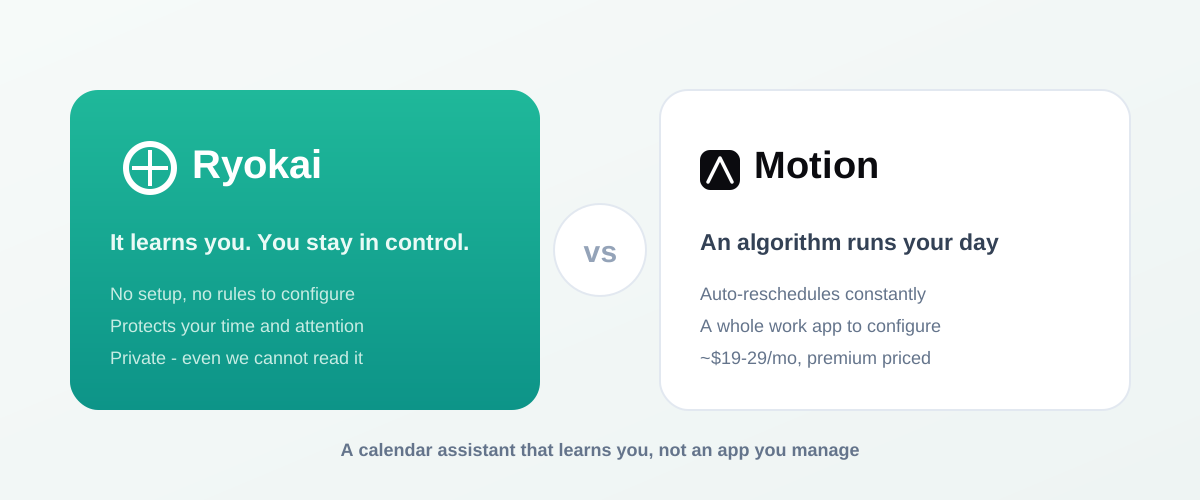
Most AI calendar tools are in a race to schedule you better - to pack your hours more efficiently, or hand the whole day to an algorithm. Motion is the boldest version of that idea, and for the right person it is genuinely powerful. But it is worth stopping to ask what you actually want optimized. Not your time - your attention: the focus you bring to the handful of things that shape a life. That reframe is the real difference between Motion and Ryokai, and it is worth sitting with before you commit to either.
 vs
vs 
- 1M+ - Motion users (A capable, widely-used AI work app)
- $19-29 - Motion, per month (Premium individual pricing, a whole work app to run)
- $9.99 - Ryokai Pro, per month (Plus a free tier; no setup, it learns you)
| Ryokai | Motion | |
|---|---|---|
| Core idea | A calendar assistant that learns you. | An AI work app that runs your tasks and day. |
| Setup | Yes - None - it gets to know your priorities over time. | Partial - Pour in tasks, deadlines, and priorities to configure. |
| Who is in control | Yes - You - it asks first (Coach) or acts within your rules. | No - The algorithm rebuilds your day continuously. |
| Calendars | Yes - Google, Apple, and Outlook in true two-way sync. | Partial - Google, Outlook, iCloud inside its own interface. |
| Voice-first | Yes - Speak to add, move, or protect anything. | No - Configure inside the app. |
| Protects attention | Yes - Defends focus and priorities, not just open slots. | Partial - Fills open slots automatically. |
| Privacy | Yes - Sealed + de-identified - even Audebe cannot read it. | Standard cloud app. |
| Price | $9.99/mo (free tier; Max $19.99). | ~$19-29/mo individual. |
Publicly listed positioning and pricing, July 2026. Full source list at the end of this article.
What Motion actually is
Motion is an AI super app for work - not just a calendar, but tasks, projects, meetings, docs, and AI agents in one workspace. Its signature move is auto-scheduling: pour in your to-dos with deadlines and priorities, and Motion places them into open slots and continuously rebuilds your day1 as things change. For someone who wants one tool to run their entire work life and is happy to let software decide the order of the day, that is genuinely powerful - and priced like it, around $19-29/mo for an individual.
Where Motion can work against you
The automation that makes Motion impressive is also its most common complaint. Because it rebuilds your schedule continuously, the day can feel like it is shifting underneath you - reviewers describe it as paternalistic, overriding your manual blocks2, and note that on a reactive day "the carefully planned schedule falls apart by mid-morning." It is also a task-and-project manager that happens to schedule. If what you want is help running the calendars you already have - not a new place to manage all your work - that is a different need entirely.
Ryokai's perspective: it learns you
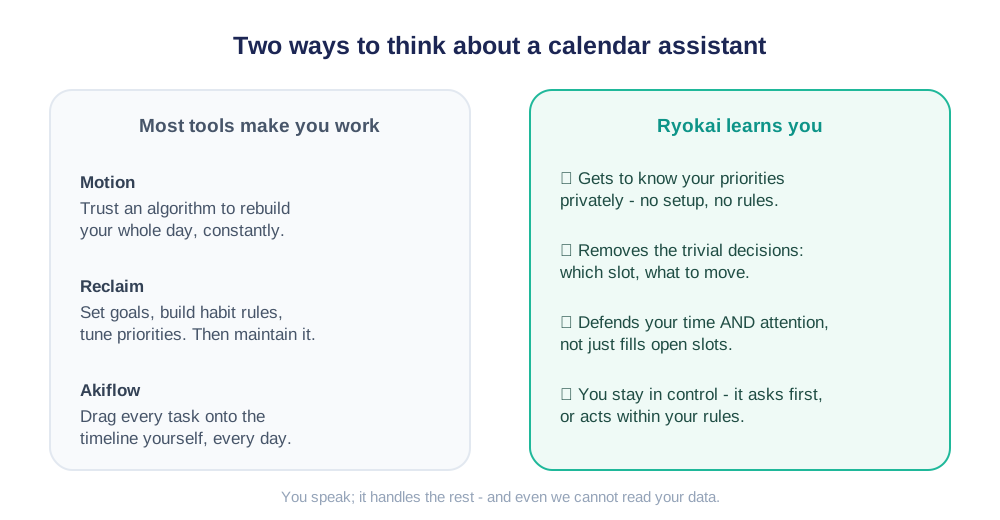
Ryokai is not trying to be your whole work operating system. It is a chief of staff for your time that gets to know you - your priorities, your rhythms, what you protect - and uses that to remove the small, draining decisions: which slot, what to move, what to guard. You do not configure it; it learns. And crucially, it does that privately: your data is sealed and de-identified, so even we cannot read it.
- It runs the calendars you already have: connect Google, Apple, and Outlook, and Ryokai keeps them in true two-way sync - a change in one shows as a private busy block in the others, so you never double-book.
- It stays out of the driver's seat: in Coach mode it suggests and waits for your yes; in Autonomous mode it acts within rules you set. You decide how much to hand over, and you can change your mind.
- You talk to it: say 'move my 3pm to Thursday' or 'find me two focused hours this week' and it does it across every calendar, then confirms in a sentence.
- It protects what matters: tell it - or let it learn - that family dinner, deep work, the gym, and rest are non-negotiable, and it guards that time instead of treating every hour as fair game.
- It learns and remembers: your people, routines, and long-term goals carry forward, so you never re-explain yourself.
Time is the wrong thing to optimize
Here is the deeper difference, and it is the whole reason Ryokai exists. Motion optimizes time - it fits the most work into the hours you have. But a packed, perfectly-tetrised day is not the goal. The scarce resource is not time, it is attention: the focus you bring to the few things that actually move your health, your work, your family, your faith - the things that compound into a life. And attention is spent by decisions. Every 'when should I do this,' every 'should I move that,' every 'is this the right slot' quietly draws down the same budget you need for the work itself.
The other tools optimize your time. Ryokai optimizes your attention - the one resource that actually compounds into a life.
So Ryokai does the opposite of asking you to configure more. It learns you, takes the hundred trivial scheduling decisions off your plate, and fiercely defends the blocks where your attention matters most - deep work, family dinner, rest, prayer, the gym. What it leaves you with is not a fuller calendar; it is room to make the few clever, high-impact decisions only you can make, and the focus to actually execute them. An auto-scheduler that reshuffles your day is still spending your attention on the schedule. Ryokai's aim is to spend as little of it there as possible.
What it costs
Monthly price, individual plans
Publicly listed July 2026 rates. Ryokai is a calendar assistant; Motion is a full work app.
- Ryokai Pro: $9.99/mo
- Motion Pro: $19/mo
- Motion Business: $29/mo
Ryokai Pro is $9.99/mo with a free tier to start (Max $19.99). Motion's individual plans are publicly listed around $19 (Pro) to $29 (Business). You are buying different things - a calendar assistant vs a whole work app - and Ryokai is a fraction of the price.
So which one should you choose?
Choose Motion if
- You want one tool to run tasks, projects, docs, and calendar together.
- You are happy to let an algorithm rebuild your day automatically.
- You will live inside a single work app and pay a premium for it.
Choose Ryokai if
- You want to keep the calendars you already have, not move into a new app.
- You would rather talk to your schedule than configure it.
- You want to stay in control and protect your focus, not hand over the wheel.
- You want an assistant that learns you - privately - at a fraction of the price.
Sources
- Motion Pricing 2026 (Pro $19, Business $29) - alfred_, accessed July 2026
- Is Motion Worth It? Honest Review (2026) - alfred_, accessed July 2026
- Motion Review 2026 - Digital by Default, accessed July 2026
- Akiflow vs Motion (2026) - Morgen, accessed July 2026
Frequently asked questions
Is Ryokai a good Motion alternative?
Yes, if what you want is a calendar assistant rather than a full task-and-project manager. Motion auto-schedules your to-dos and rebuilds your day automatically inside its own workspace. Ryokai runs the calendars you already use - Google, Apple, and Outlook - in two-way sync, by voice, and asks before it acts. It is calmer, simpler to start, and priced lower.
How does Ryokai's pricing compare to Motion?
Ryokai's Pro plan is $9.99 a month, with a free tier to start and a Max plan at $19.99 a month. Motion's individual plans are publicly listed around $19 to $29 a month. They are different products - Ryokai is a calendar assistant, Motion is a full work app - but for running your calendars, Ryokai costs a fraction as much. Pricing can change, so check each site for current numbers.
Does Ryokai actually learn me, or do I have to set it up?
It learns you. There is no weekend of configuration - no habit templates to build or rule sets to tune the way habit-based schedulers require. Ryokai gets to know your priorities and rhythms over time and uses that to make good suggestions and protect what matters. It does this privately: your data is sealed and de-identified, so even Audebe cannot read it.
Does Ryokai auto-schedule my tasks like Motion?
Ryokai plans and protects your time and can reorganize your schedule, but it is calendar-first, not a task-and-project manager. The key difference is control: Motion rebuilds your day continuously in the background, while Ryokai's Coach mode suggests changes and asks first, and its Autonomous mode acts only within rules you set.
Does Ryokai work with Google, Apple, and Outlook?
Yes. Ryokai connects all three into one unified view and keeps them in true two-way sync, so a change in one calendar updates the others and shows as busy to prevent double-booking.
Do I have to let the AI take over my calendar?
No. You choose. Coach mode keeps you in full control - Ryokai suggests and waits for your approval. Autonomous mode lets it act within boundaries you define. You can switch between them as your trust grows.
Is Ryokai private?
Yes. Ryokai is private by design - your calendar data is yours, it is never sold, and you can delete everything at any time.